 Corridor Numerics
Follow this object
The F1 cassette
Swap the cassette and you change the shape of the tunnel that light must cross. Start with the square and the slot. Where would you point the next beam?
Choose a beam angle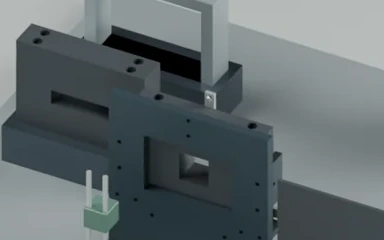
Classroom · simulation
Change the angle
Three hidden windows share a straight-on reading. Take one more reading and select every shape that still fits. After the reveal, swap the opening or change its depth while holding the beam still.
Play the three-window mysteryBench measurement pending
Find the detector
Follow the illumination head, cassette and sliding receiver in the F1 assembly. A repeat needs the aperture dimensions, detector position and open-reference reading.
Inspect the F1 benchFile benchmark · exact restoration
Restore the drawing
The rectangular F1 cassette drawing is 142,986 bytes. Community Codec 0.3 packed it into 3,357 bytes with default settings. Check whether all 142,986 come back.
Run the byte comparison
Download and unzip both kits. Copy A1_RECT_cassette.step from the bench kit’s hardware folder into the folder containing cn-preview.pyz. Open a terminal there with Python 3.9 or later.
python3 cn-preview.pyz pack A1_RECT_cassette.step cassette.cn
python3 cn-preview.pyz unpack cassette.cn restored.step
cmp A1_RECT_cassette.step restored.step
On macOS or Linux, cmp finishes silently when the files match. On Windows use py -3 for Python and fc.exe /b A1_RECT_cassette.step restored.step to compare.
myGrove · digital fit study
Follow the removal path
The myGrove desktop has its own optical cassette. On the digital removal path its outline projects 9.4 mm beyond the front edge of the service opening. The next check is a physical pull with the door open and cable attached.
Inspect the myGrove clearance